 -35% · Save £22.40
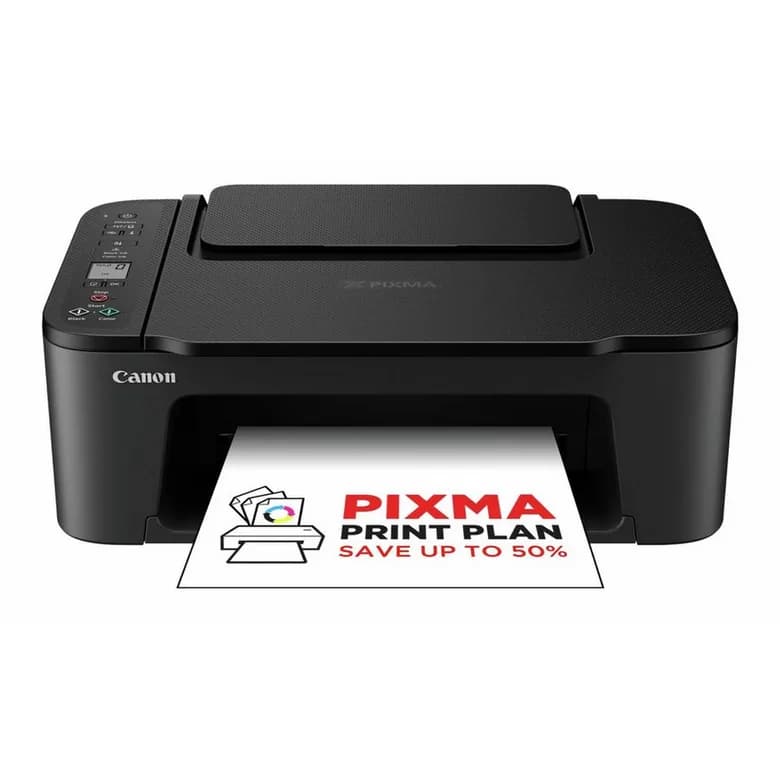
Canon PIXMA TS3750i Wireless All-in-One Inkjet Printer
£32.49
Argos: £49.99
UK reference price checked on . View Argos listing for the retailer’s current price.
Direct wholesale procurement Brand new & factory sealed 24-month warranty
In stock
About this product
The black PIXMA TS3750i is a compact home inkjet printer with an A4 flatbed scanner. It can print documents or photos, copy an original and scan paperwork to a supported device. Wi-Fi and Apple AirPrint offer options for compatible phones and computers. It uses separate Canon PG-575 black and CL-576 colour cartridges.
For occasional forms or school sheets, keep the paper guides aligned with the stack and select the correct media type and size before printing. Use the flatbed for a receipt or single-page document and place it against the alignment mark on the glass. For two-sided work, plan to turn the pages manually in the order the printing instructions specify.
For home photos, choose suitable inkjet paper and verify the supported borderless sizes before printing. If you often print colour pages, compare compatible cartridge capacities along with the upfront printer price. Keep enough space to open the scanner lid and extend the paper trays. Set up wireless printing using the instructions for your phone or computer and print one test page before running a longer document.
For a work or study setup, check the connections available at your usual desk as well as those on a laptop used on its own. If your computer is managed by an employer, ask which settings and companion applications are available. Test the controls in the programs you actually use for calls, documents or editing.
Specifications
Configuration
- Model
- TS3750i
Connections
- Wireless printing
- Wi-Fi and Apple AirPrint
Other specifications
- Functions
- Print, copy and scan
- Scanner
- A4 flatbed
- Ink
- PG-575 black and CL-576 colour
Reviews
4 verified customer reviews
Our PIXMA prints school forms and scans the signed copies back. That's basically my whole use case.
Setup took a little patience on our Wi-Fi. Handy having scanning and printing in the same box afterwards.
The PIXMA scans a signed page straight after printing it. Fine for the odd school form.
I'd look into ink costs for heavy printing. For a few colour sheets a week it's fine.