 -35% · Save £22.40
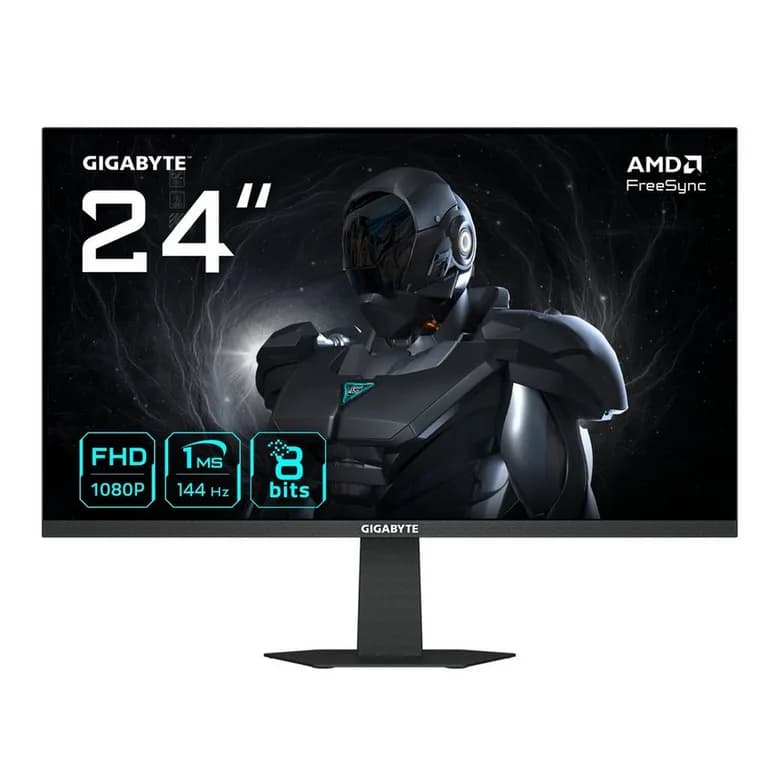
Gigabyte GS24F14 24-inch 144Hz Gaming Monitor
£38.35
Argos: £59.00
UK reference price checked on . View Argos listing for the retailer’s current price.
Direct wholesale procurement Brand new & factory sealed 24-month warranty
In stock
About this product
The GS24F14-EK is a 23.8-inch IPS gaming monitor that displays Full HD at up to 144Hz. It has HDMI and DisplayPort inputs, so it can share a desk with a desktop graphics card and a second compatible source. Its 1920 × 1080 native resolution keeps the rendering workload manageable for a compact gaming PC.
Connect the monitor to a compatible graphics output, then select 1920 × 1080 and the desired refresh rate in the display settings. A higher refresh rate gives a game more opportunities to show a new frame, particularly when the PC can render consistently at that pace. HDMI also makes the monitor useful for a second source. The output modes available depend on that device. Check your desk depth and viewing distance when moving from a laptop screen to this larger panel.
A 144Hz panel updates more often than a 60Hz office display when the selected mode and source permit it. For a particular game, check the frame-rate limit as well as the monitor setting. A laptop may also need its external display output configured separately from the built-in panel. Use the display's input selector when moving between a work laptop and a gaming desktop.
When comparing displays, use both the native resolution and the diagonal size to judge how much space text and windows will occupy. Consider the connectors and refresh rates your computer actually supports, including any limits of a laptop dock. Setting a comfortable brightness and text scale at your usual viewing distance helps with long reading or editing sessions.
Specifications
Configuration
- Model
- GS24F14-EK
Display & picture
- Panel
- 23.8-inch IPS
- Resolution
- 1920 × 1080
- Refresh rate
- Up to 144 Hz
- Screen size
- 24 inches
Other specifications
- Inputs
- HDMI and DisplayPort
Reviews
4 verified customer reviews
My first 144Hz screen. I had to change the Windows setting before I saw why everyone goes on about it.
The 24-inch Gigabyte leaves room for a second screen. Full HD is a good fit for my graphics card.
Set the Gigabyte to 144Hz and went back into my favourite racing game. The change was easy to feel.
Twenty-four inches means I still see the map out of the corner of my eye.