 -35% · Save £22.40
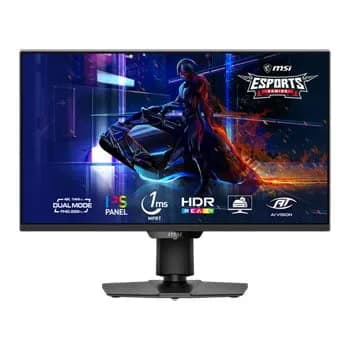
MSI 27" MAG 275UPD E14 Dual Mode 4K/FHD 144Hz/288Hz IPS Monitor
£129.34
Scan: £198.98
UK reference price checked on . View Scan listing for the retailer’s current price.
Direct wholesale procurement Brand new & factory sealed 24-month warranty
In stock
About this product
MSI 27" MAG 275UPD E14 Dual Mode 4K/FHD 144Hz/288Hz IPS Monitor. The listed configuration identifies refresh rate (4K 144Hz / FHD 288Hz), resolution (3840x2160 / 1920x1080), response time (1ms) and video inputs (DP / HDMI). Use the specifications to compare this version with other products in the range. The named model and configuration are the details to match when you check compatibility or compare the price with the original UK listing.
Compare resolution, panel type and refresh rate using the connection you will use every day. Check whether the graphics output and cable support the selected mode. Position the screen at a comfortable distance before adjusting brightness and text scale. For games, compare frame rate at the native resolution, and confirm which adaptive refresh settings are available on connected hardware.
If you are replacing an existing device, write down the model you own and the accessories you plan to keep. Compare those requirements with the model details and the retailer’s technical listing. This is particularly useful when similar names cover different bundles or capacities. Use the product code in the specifications if you need to confirm which configuration is shown.
When comparing displays, use both the native resolution and the diagonal size to judge how much space text and windows will occupy. Consider the connectors and refresh rates your computer actually supports, including any limits of a laptop dock. Setting a comfortable brightness and text scale at your usual viewing distance helps with long reading or editing sessions.
Specifications
Display & picture
- Refresh rate
- 4K 144Hz / FHD 288Hz
- Resolution
- 3840x2160 / 1920x1080
- Screen size
- 27 inches
Other specifications
- Response time
- 1ms
- Video inputs
- DP / HDMI
Reviews
4 verified customer reviews
I really do use both modes. Four-K for editing photos, Full HD and the faster refresh for competitive games.
The MSI's dual mode is most useful if your routine changes like mine. Otherwise pick the resolution you usually play at.
The dual-mode MSI has surprised me. I switch to 4K for work and use the quicker mode most evenings.
I did check how to change modes first. Buying it for only one would miss half the point.